Microsoft Excel is a handy tool to help businesses keep their data organized… provided it has been used accurately and to its full potential. However, it isn’t uncommon for some people to cram all the information of a record into a single cell and limit the value that Excel has to offer. Once this goes on long enough, it can feel like there’s no fixing it.
Let’s go over how you can, in fact, fix it.
Splitting Up Data is Simple with Text to Columns
Excel has a dedicated tool that helps make this process super simple. Let’s walk through how it works with a hypothetical example.
Let’s say there’s a small business comprising 15 people collaborating to serve its client base. In an Excel document, these team members are listed, along with their job titles, as follows:
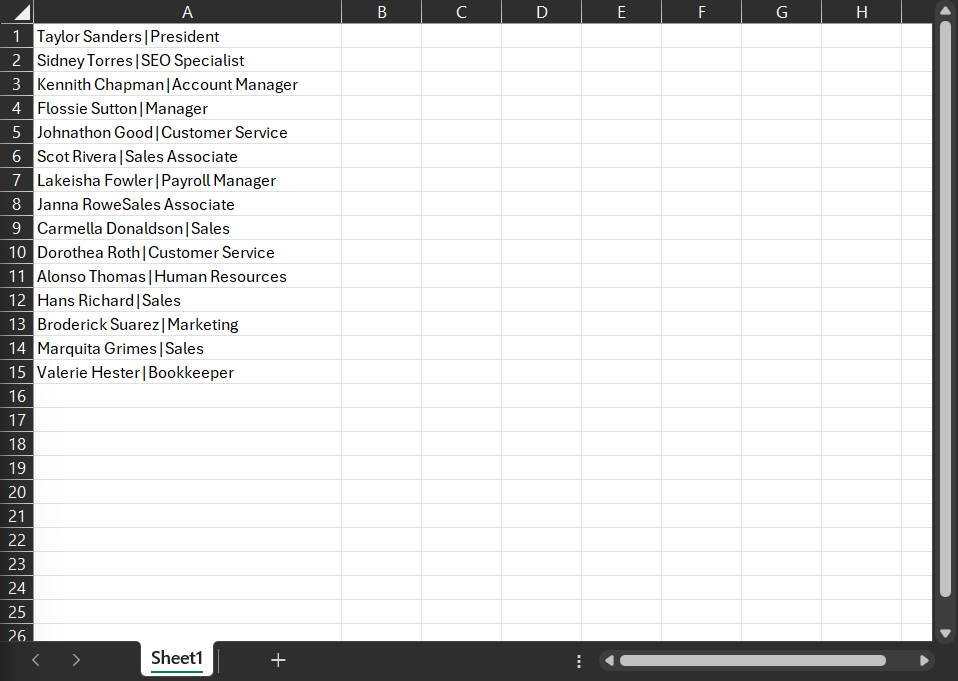
Great, right? Nice and straightforward. That is, until you want to organize your team by department rather than by their first name.
Fortunately, Excel offers a simple tool that helps to fix that: Text to Columns.
How to Use Text to Columns
Let’s demonstrate the use of this tool using the above data set.
Select the data you want to divide up. Then, in the Data menu, select Text to Columns.

Select Delimited.
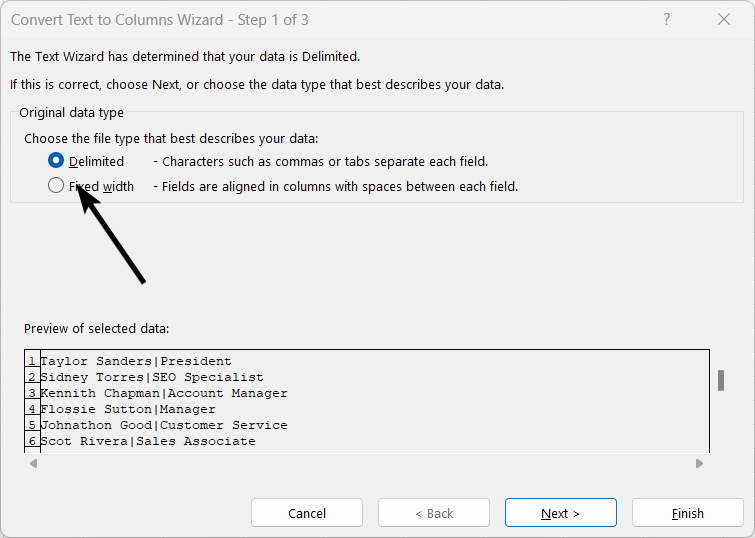
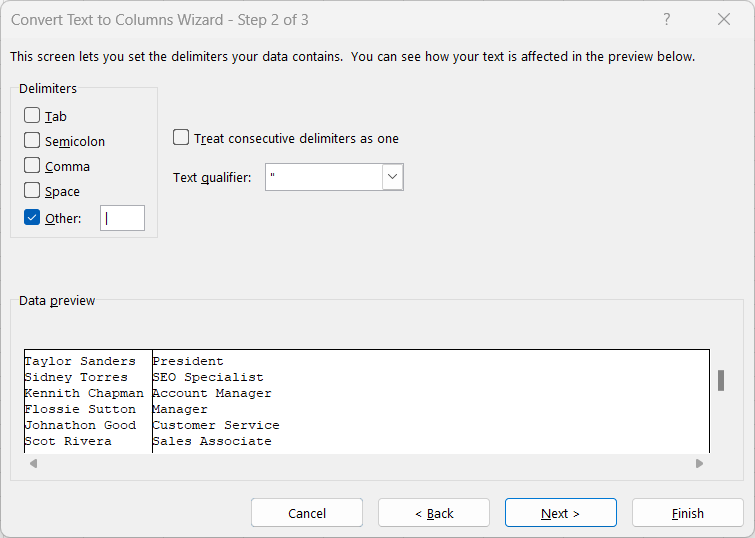
In the next screen, select the appropriate options. In this case, we want to separate this data by the vertical bars in the data sets.
If needed, you can identify what kind of data each column will hold so Excel will format it correctly.
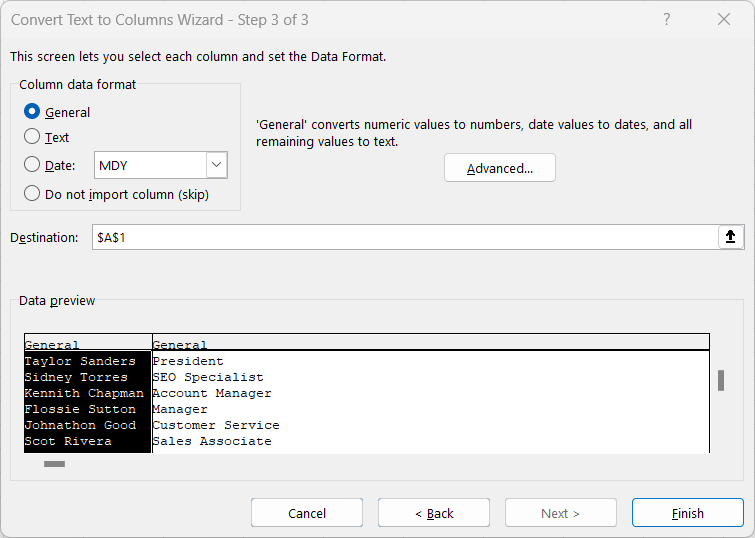
Click Finish, and you should see the results:
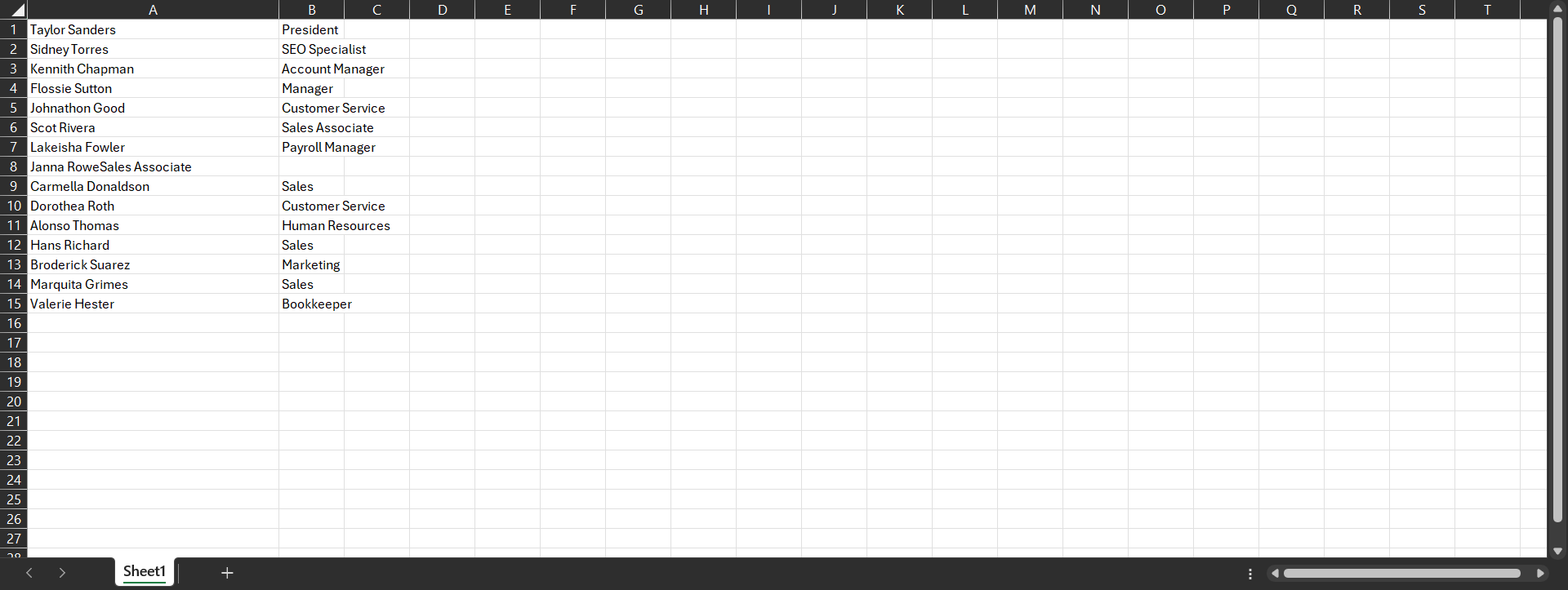
It’s as simple as that!



Comments